People who work in financial services already know a simple rule: you do not size a position by hoping for the best. You work out the number first, add a buffer, and then decide. Certification exams deserve the same discipline. Whether you are an analyst moving toward cloud and data work, a compliance officer studying AI governance, or an adviser who wants a security credential, the question "how many answers do I actually need to get right?" has a precise answer. A free pass score calculator from Be Ready Education gives you that answer in a few seconds.
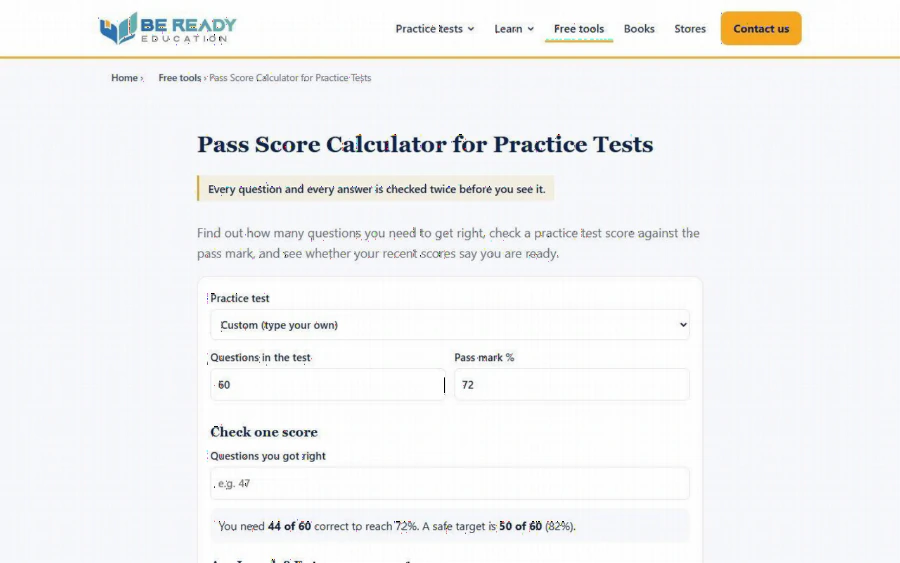
The Pass Score Calculator page showing questions in the test, pass mark percentage and a result line
This article walks through what the tool does, the arithmetic behind it, where it falls short, and how someone with a finance mindset can use it as part of a weekly study routine.
What the tool actually does
According to the tool page, the calculator does three jobs. First, it tells you how many questions you need to get right for a given test. Second, it checks one practice test score against the pass mark. Third, it looks at your recent scores and tells you whether they say you are ready.
You pick one of the practice tests from a drop-down list, or choose "Custom" and type in your own number of questions and pass mark. The page itself shows a default example of 60 questions and a 72% pass mark, and the result line reads that you need 44 of 60 correct to reach 72%, with a safe target of 50 of 60 (82%). The page says it runs entirely in your browser, that nothing you enter is collected, stored or sent, and that it sets no cookies.
That last point matters if you are cautious about data. You are only typing a few numbers, but it is reassuring that the page states it does not keep them.
The arithmetic, spelled out
The method is the same one an accountant would use for a threshold test. Multiply the number of questions by the pass mark, then round up, because you cannot get 43.2 questions right. For the 60 question, 72% example, 60 times 0.72 is 43.2, so you need 44.
Here is a second example of our own, using a hypothetical test. Say a test has 40 questions and a 70% pass mark. Forty times 0.70 is exactly 28, so 28 correct answers is the minimum. If you want a buffer of ten percentage points, as the tool suggests, you aim for 80%, which is 32 correct answers. Those numbers are an illustration, not a real exam, so use the calculator with the values of the practice test you are actually taking.
Rounding up is a small detail, but it is the kind that catches people out. Someone who tells themselves "I need about 43" and scores 43 has failed the practice test on paper.
Why a buffer beats a bare pass mark
Think of the pass mark as a hurdle rate and your practice score as a single noisy observation. One good result on one day is not evidence that your true level clears the bar. Questions vary, your concentration varies, and some topics simply happened to come up.
The calculator builds in a rule to deal with that. Its readiness check uses what the page calls the same rule as its study plans: reach the pass mark plus 10 points (up to 95%) on two tests in a row. You enter each practice score as a percentage, newest last, and you need at least two scores for the check to work.
In investing terms, this is a margin of safety plus a confirmation signal. The ten point cushion protects you against a bad day, and the two in a row requirement protects you against a lucky one. The page is honest that this is a rule of thumb, not a guarantee, and that is the right way to treat it.
A realistic scenario for a finance professional
Imagine a mortgage broker who wants to move into a data role and has chosen an entry level analytics certification. She works full days, so she studies in the evening, three nights a week. Her plan looks like this.
1. She opens the calculator, selects her practice test from the list, and sees the pass mark and number of questions loaded for her.
2. After her first full practice test she types in how many she got right and reads the gap to the pass mark.
3. She spends the next few evenings on the explanations for every question she missed, since the tool's own advice is to review those before the next test.
4. After each new test she adds the percentage to her list of recent scores.
5. When two in a row clear the pass mark plus ten points, she books the real exam. Until then, she does not.
None of this requires a spreadsheet, but if she likes spreadsheets, the same logic fits in two cells. The value of the web tool is that it removes the temptation to skip the step.
Related free tools on the same site
The calculator sits on a page of free exam prep tools, and the free tools hub lists four of them: an exam timer, the pass score calculator, an exam countdown and study planner, and a practice score tracker. According to the hub page, they run in your browser and need no sign-up, and the planner and tracker can keep your entries on your own device only.
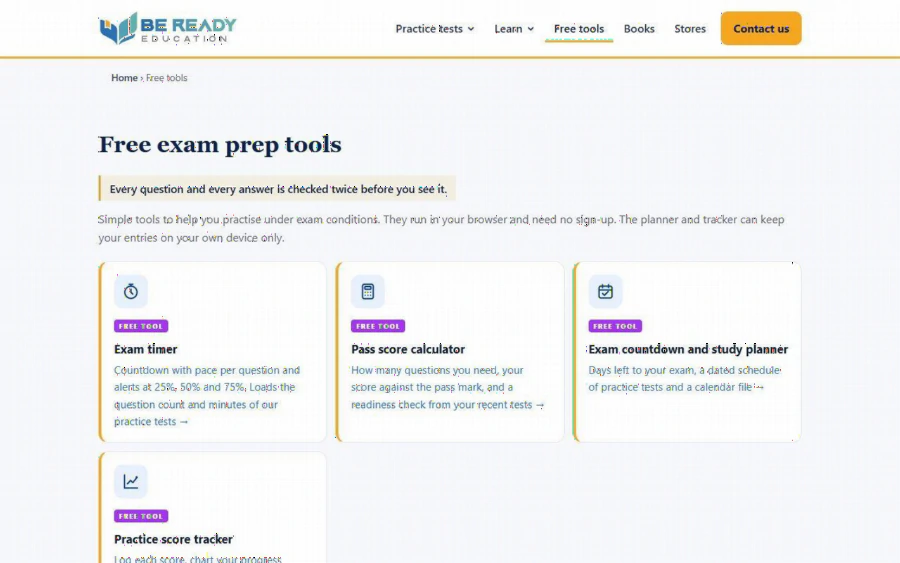
The Free exam prep tools page listing the exam timer, pass score calculator, exam countdown planner and practice score tracker
The timer shows a countdown with pace per question and alerts at 25%, 50% and 75%. The planner gives you days left to your exam and a dated schedule of practice tests. The tracker lets you log each score and chart progress against the pass mark. Used together, they cover pacing, scheduling and measurement, which is most of what a self study plan needs.
Limits you should know about
A good tool is clear about what it cannot do, and this one is. The pass marks, question counts and time limits it loads come from Be Ready Education's own practice tests, not from the real exam. The FAQ on the page says so directly: the real exam may use a different pass mark, a scaled score or a different number of questions, so you should check the certification provider's official exam page for the real format and passing score.
That has two practical consequences. If you are using the Custom option, type in the real exam's published numbers from the provider, not a guess. And a high readiness result is a signal about your practice results only. It does not predict an outcome on the day, and the page does not claim it does.
The tool also only measures scores. It does not teach you anything. If your numbers are low, the answer is to study the weak topics and read the explanation for each missed question, not to retake the same test until the number goes up.
Who should use it, and who can skip it
It is a good fit if you are studying for a vendor certification in areas such as AI, cloud, data, security or project management and you take timed practice tests. It is also useful if you tend to guess at your readiness and want a firmer rule. Career changers from finance, accounting or banking often like having a clear threshold, because it resembles the controls they already work with.
You can skip it if you do not take practice tests at all, since there is nothing to enter, or if your exam is pass or fail with no published percentage and you have no practice test with a pass mark to compare against. In that case, a tracker or a plain list of your weakest topics may serve you better.
How to get started today
Open the calculator, pick the practice test you plan to take, and write down the number of correct answers you need and the safe target next to it. Take one full, timed test, enter your score, and read every explanation for the questions you missed. Repeat, add the scores to the readiness check, and book the real exam only when your recent results clear the cushion twice. It takes a few minutes to set up, costs nothing, and replaces a vague feeling with a number you can act on.